%20-%20120%20x%2044.svg)
Overview
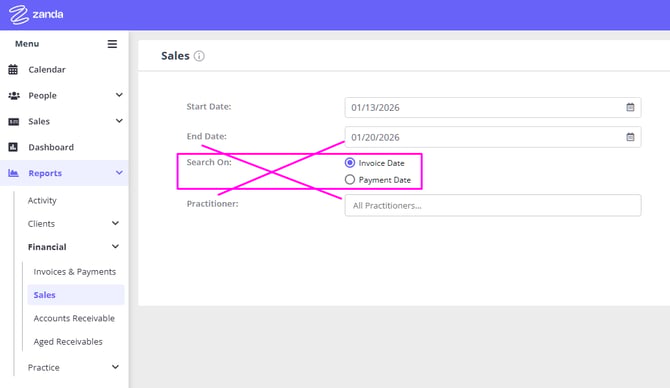
As of 28 January 2026, the Reports > Financial > Sales report has been updated to remove the "Search On" filter option. This change ensures the report consistently provides accurate sales data by always filtering results based on invoice date, eliminating potential confusion and duplicate entries that could occur when searching by payment date.
What's Changed
The "Search On" filter has been removed from the Sales report. The report will now always search by Invoice Date only.
Why This Change Was Made
The Sales report is designed to show you all items sold within a specific time period—helping you track metrics like total products sold or services provided. Since this report displays invoice totals for sold items (not payment data), searching by payment date could create duplicate results if an invoice had more than one payment and the payments were made on different dates.
Previously, when filtering by payment date, items that received multiple payments could appear duplicated across different reporting periods, making it difficult to get accurate sales metrics.
What This Means for You
If you were using the Sales report to track payments received within a time period, you'll need to use a different report such as Reports > Financial > Invoices & Payments.
This report is specifically designed for payment tracking and includes payment amounts and dates, giving you accurate information about when payments were actually received.
The Sales report remains the best choice for tracking what items were sold during a specific period, regardless of when payments were made.