%20-%20120%20x%2044.svg)
Coming Soon: We’re preparing to transition all practices to the enhanced Client Portal.
- Zanda accounts on us.zandahealth.com and uk.zandahealth.com will be transitioned on May 4, 2026
- Zanda accounts on my.zandahealth.com will be transitioned on May 25, 2026
In this article:
What’s changing
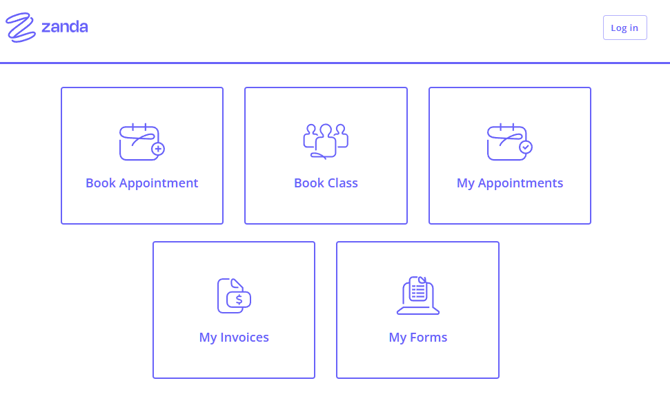
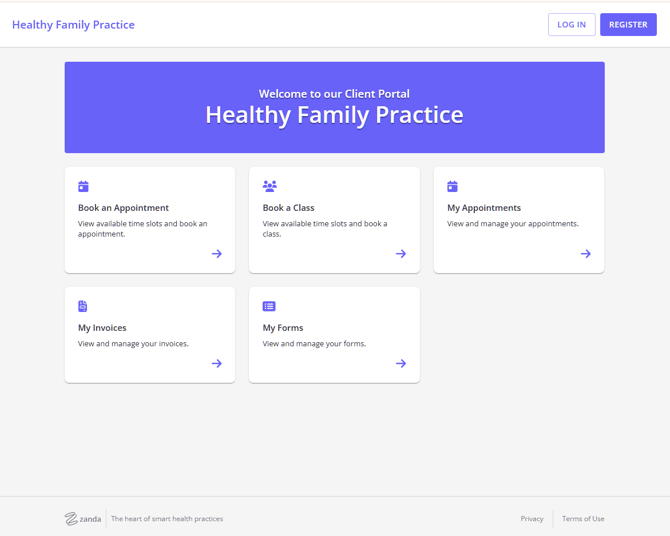
- The client portal will be updated for all practices to the new styling
- Practices with client portal disabled will still have it OFF
- No action is required from you
| Old client portal - default styling example |
 |
| New client portal - default styling example |
 |
If you haven’t yet enabled the new portal branding
- Your existing client portal settings and preferences will remain unchanged
- Clients will see the updated interface
- Your portal branding will default to the Zanda purple (see an example above)
Benefits of the new Client Portal styling
The new Client Portal interface is designed to feel more intuitive for clients while giving practices more control over the look of the portal to better match their business.
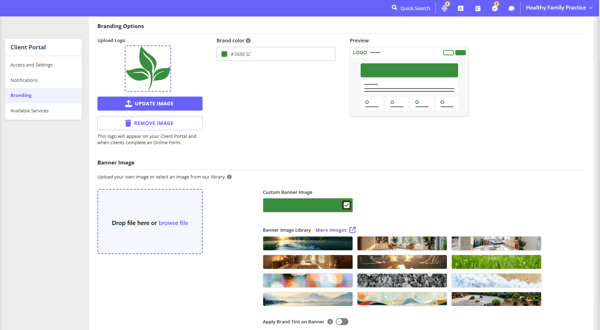
Enhanced branding options
- Apply your brand colours
- Add a banner image with optional text overlay
- Apply brand tint on banner
Improved client experience
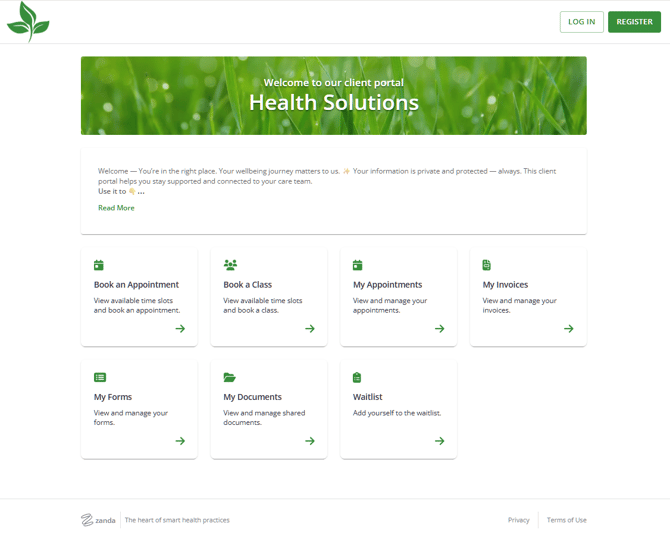
- Cleaner interface with clearer navigation
- Improved login and registration flow
- More reliable access across devices
Expanded self-service features
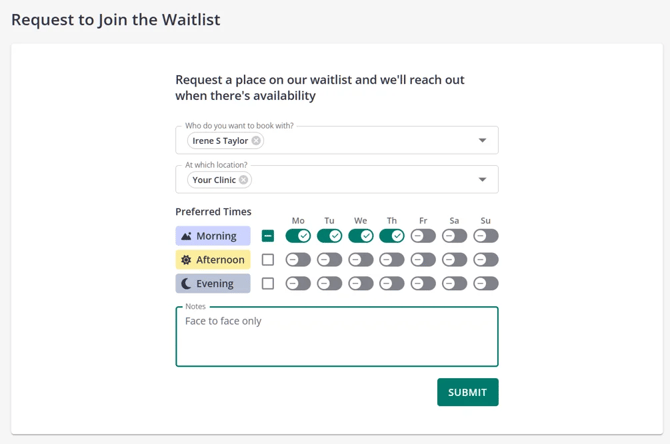
- Clients can join your Waitlist directly through the portal (learn more here)
-
Clients can submit additional information via custom profile fields linked in online forms
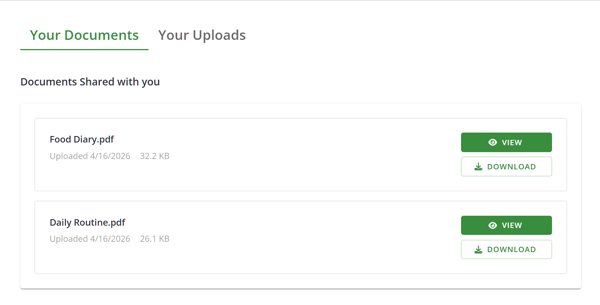
- Clients and practitioners can share files securely on the client portal
- Rescheduling appointments by clients on the client portal according to the rules defined by practices - COMING SOON!
Better client portal usage insight and visibility
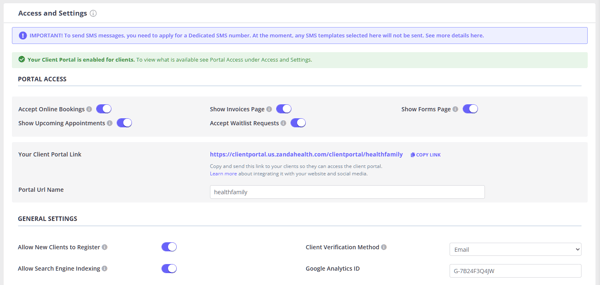
- Optional Google Analytics integration to understand how clients interact with your portal
- Optional search engine indexing to make your client portal discoverable on search engines
Frequently Asked Questions
Can I switch earlier?
Yes. You can enable the new Client Portal styling at any time.
- Go to: User Menu > Account Settings > Schedule > Client Portal > Branding
- Turn on Enable New Client Portal Styling, then save.
This allows you to preview and configure the experience when it suits your practice.
What do I need to do?
Nothing. If you haven’t already switched, your practice will be automatically moved to the new Client Portal styling when the transition happens. You can switch over now to explore the experience whenever it suits you. If you enable your client portal after the transition date, you will get access to the new updated version immediately.
Need help or want to learn more?
If you’d like assistance with branding and settings, email us at support@zandahealth.com