%20-%20120%20x%2044.svg)
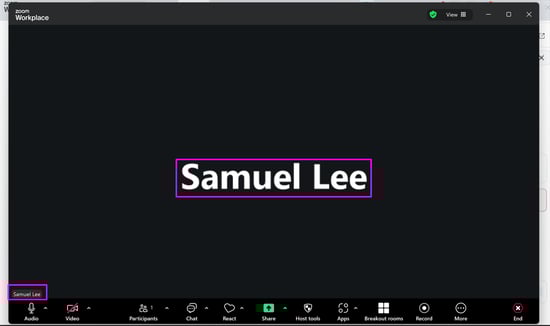
To ensure your clients always see the correct name when joining a telehealth session, Zanda will automatically update your Zoom Telehealth display name whenever you update your Practitioner Name in Zanda. This eliminates the need to manually update your Zoom Telehealth user settings separately.
In this article:
How it works
When you save changes to a Practitioner Name in Zanda (in the Practitioner Profile > Details area), the system automatically checks if that practitioner has a linked Zoom account.
If a linked Zoom account is found, Zanda will immediately send the updated name to Zoom.
- What gets updated: Zanda updates the "First Name" field of your Zoom user profile with the name entered in the 'Practitioner Name' field in Zanda.
- Trigger: The update happens only when you click Save in Zanda and the system detects that the name has actually changed.
How to force a synchronization
The synchronization is not retroactive. This means if your Zoom name is currently different from your Zanda name, it won't automatically update with the release of this feature until you make a change in Zanda.
If you notice your Zoom name is incorrect, you can force the system to sync them by making a small edit:
- Navigate to User Menu > Account Settings > Teams > Practitioners, select the Practitioner you wish to update.
- Or, if you are the practitioner, go to User Menu > Practitioner Profile page.
- Make a small, temporary change to the Practitioner Name (e.g., add a period . or a space at the end).
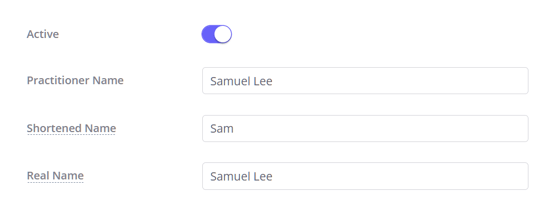
- Click Save.
- This triggers the sync with the temporary name.
- Edit the name again to remove the temporary change (restore the correct spelling).
- Click Save again.
- This triggers the sync again, sending the correct name to Zoom.
Important constraints and limitations
- One-Way Sync: This process only works from Zanda to Zoom. If you change your name directly in your Zoom user settings, it will not update your name in Zanda.
- Character Limit: Zoom has a character limit for names. Zanda will automatically truncate names longer than 64 characters to ensure the update succeeds.
- Linked Account Required: This feature only updates the default Zoom user account linked to the Zanda practitioner. If no Zoom account is securely linked in Zanda, no update will occur.
Related Articles
- Adding and Editing Practitioners - Managing practitioner details.
- Using Zoom Telehealth FAQs - Common questions about Zoom integration.