%20-%20120%20x%2044.svg)
Use online forms when you want clients to complete intake information before or between appointments. You can build your own form template in the Form Designer, start from the Template Library, or import a Zanda template file.
In this article:
- Choose the right setup option
- Rebuild an existing intake form in the Form Designer
- Import a Zanda form template
- Share a form template with another account
- Send the intake form to clients
- Frequently Asked Questions
- Related Articles
Choose the right setup option
Choose the setup method that matches the format of your current intake form.
| Current form format | Recommended setup option |
|---|---|
| A PDF, Word document, paper form, or website form | Recreate the questions and sections in the Form Designer. |
| A Zanda Template Library form | Import the template from the Template Library, then edit it if needed. |
| A Zanda template export file | Import the template file from the Form Templates page. |
Rebuild an existing intake form in the Form Designer
Create a new form template when your intake form exists outside Zanda, such as a document or paper form.
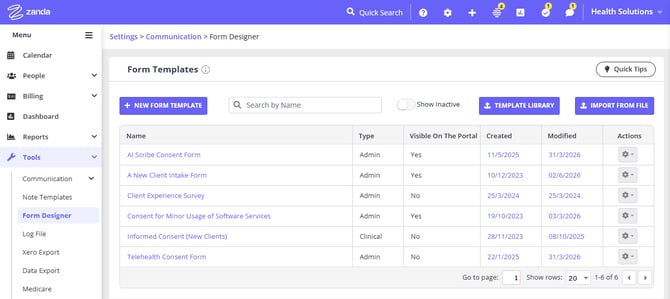
- Go to Tools > Form Designer.
- Click New Form Template.
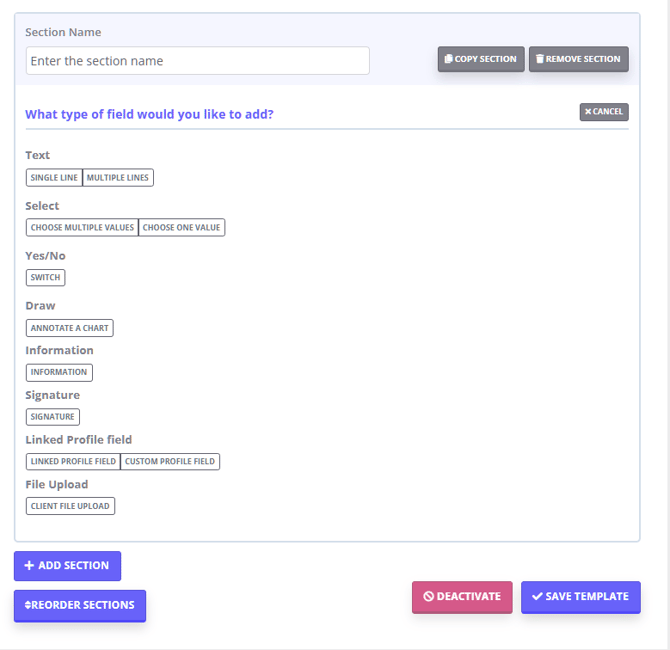
- Add the sections, questions, field types, and images you need.
- Give the template a clear name, such as "New client intake form".
- Save the template.
The Form Designer lets you set the template name, expiry period, client portal visibility, authentication options, notification emails, scoring, custom profile fields, and tags when those features are available for your account.
Import a Zanda form template
Use import when the form is already a Zanda template. Zanda supports two import paths from the Form Templates area.
Import from the Template Library
The Template Library is a ready-made collection Zanda builds and maintains for all accounts. Templates move from the library into your account, and your own templates stay in your account.
- Go to Tools > Form Designer.
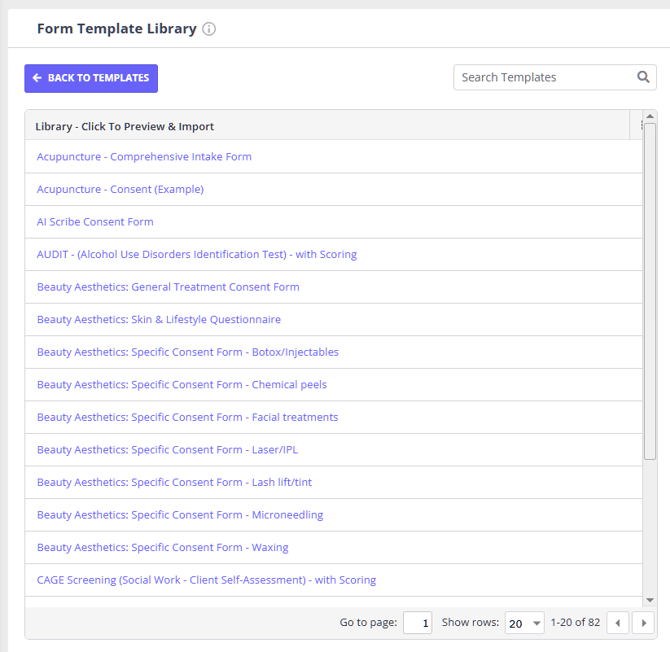
- Click Template Library.
- Search for the template you want.
- Preview the template.
- Import it into your account.
- Edit the imported template before sending it to clients.
Import a Zanda template file
- Go to Tools > Form Designer.
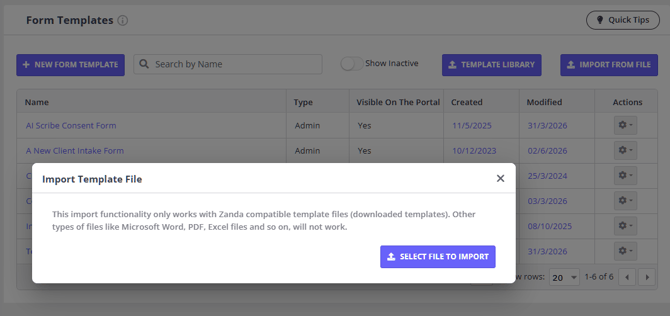
- Click Import from File on the Form Templates page.
- Select the Zanda template file.
- Open the imported template and review its questions before using it.
Template import files can be up to 1 MB.
Share a form template with another account
Export a template you have built and import it into a different Zanda account.
- Go to Tools > Form Designer.
- Click the gear icon next to the template and select Export. The template downloads as a .txt file.
- In the other account, go to Tools > Form Designer.
- Click Import from File and select the downloaded file.
Export is only available on active templates, and template files can be up to 1 MB.
Send the intake form to clients
Send the form after the template has been created or imported.
- Confirm the form template is active.
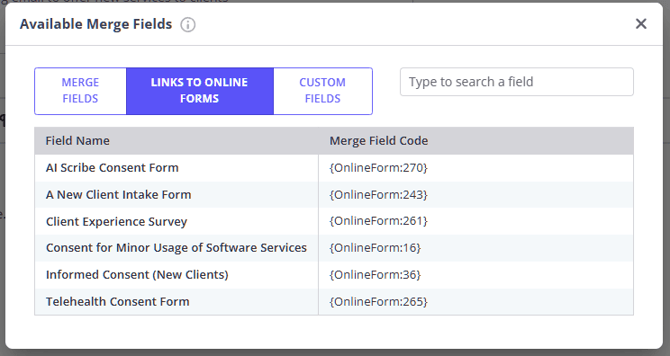
- Add the online form link to an email, SMS, or letter template.
- Review the message before sending it to the client.
Active online form templates are available as online form merge fields in communication templates.
Frequently Asked Questions
❓ Can I add a form I built into the Zanda Template Library?
Your form lives on your own Form Templates page under Tools > Form Designer, and that is all you need to send it to clients. It does not have to be in the Template Library first.
To reuse the form outside this account, you have two options:
- Share it with another Zanda account. Export it from Tools > Form Designer and import the file into the other account. See Share a form template with another account, above.
- Ask Zanda to consider adding it to the library. Click the question mark icon in the top toolbar and select Submit an Idea.
The Template Library itself is a ready-made collection Zanda builds and maintains for all accounts, so templates move from the library into your account rather than the other way around.
❓ Can Zanda turn my PDF or Word intake form into an online form automatically?
Use the Form Designer to recreate document-based intake forms as online forms. This gives you a structured form template clients can complete online.
❓ Can I start from a template instead of building the form from scratch?
Yes. Use Template Library to import a Zanda template, then edit the sections and questions to match your practice.
❓ Can clients access intake forms through the client portal?
Yes. Form templates include client portal visibility settings, and completed client forms can be shown or hidden on the portal forms page.
Related Articles
- Getting Started with Online Forms - Learn the main online forms workflow.
- Using the Form Designer - Build and edit form templates.
- Setting Up Forms in Zanda: Your Options and Getting Help - Compare ways to set up forms.
- Sending Online Forms to Clients - Send forms to clients after your templates are ready.