%20-%20120%20x%2044.svg)
By default, the Zanda Client Portal is configured to remain private and is not indexed by search engines like Google or Bing. However, if you use your portal as your primary website or booking page, you can choose to make it discoverable to help new clients find you.
In this article:
Privacy Note: Enabling Allow Search Engine Indexing setting makes your Client Portal address and public information visible in web search results.
Follow these steps to allow search engines to crawl and list your portal:
- Navigate to User Menu > Account Setup > Client Portal > Access and Settings.
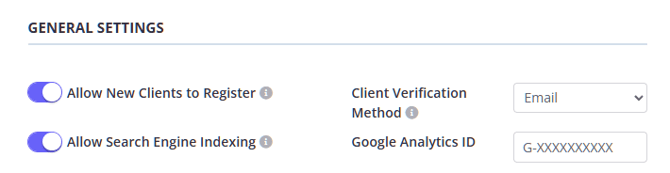
- Scroll down to the General Settings section.
- Locate the Allow Search Engine Indexing switch.
- Toggle the switch to On.
- Click Save.
- Allow for time to update: Changing this setting does not have an immediate effect. It may take several weeks for search engines to crawl your site and update their indexes.
- How it works: This setting controls the "robots" meta tag on your portal. When disabled (default), it tells search engines not to index the page. When enabled, it allows standard indexing.