%20-%20120%20x%2044.svg)
In this article:
- Overview
- What’s New
- What’s Changed Visually
- Why This Matters
- What Stayed The Same
- Getting The Most Out Of The Update
- Need Help?
Overview
March 2026
We’ve updated the Tasks dashboard to make it easier to manage both client-related work and internal to-dos—all from one place.
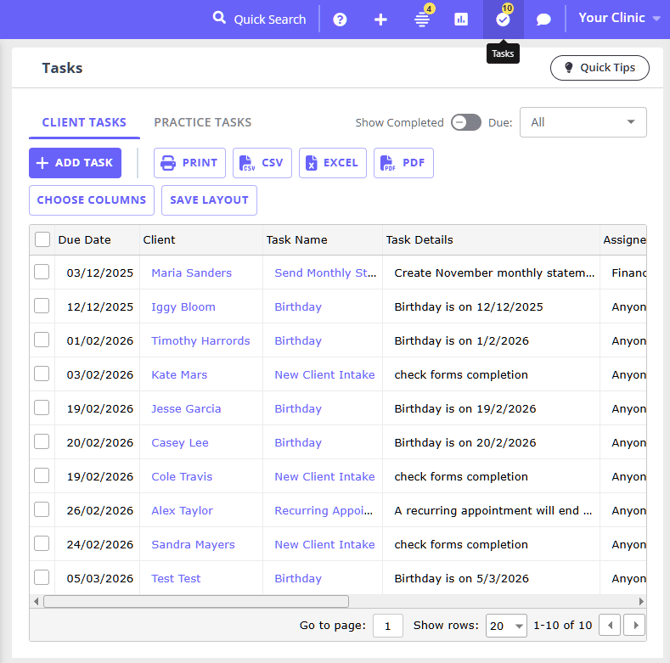
You’ll now find a more structured layout, improved visibility of what’s due, and faster ways to take action—helping your team stay organised and on track throughout the day.
What’s New
-
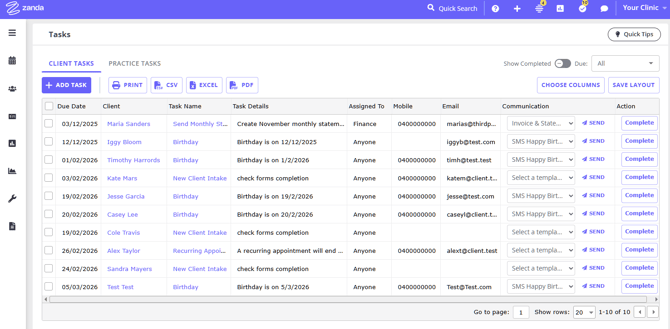
A refreshed Tasks page (previously Client Tasks), with a clearer and more flexible layout
-
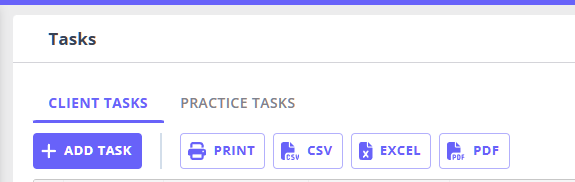
New Client Tasks and Practice Tasks tabs to separate client-related work from internal to-dos
-
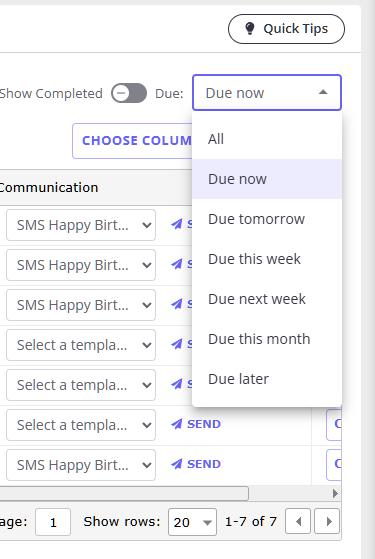
A powerful Due filter to quickly prioritise what needs attention
-
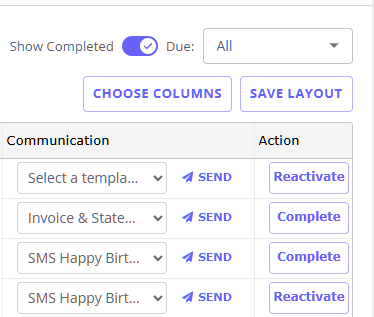
A Show Completed toggle to easily review completed work when needed
-
The ability to bulk complete multiple tasks at once
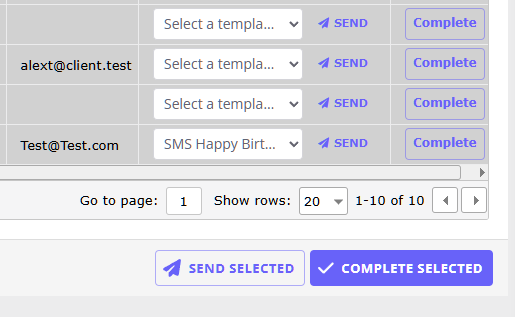
-
Batch send emails and SMS to multiple clients directly from the Tasks page (where enabled)
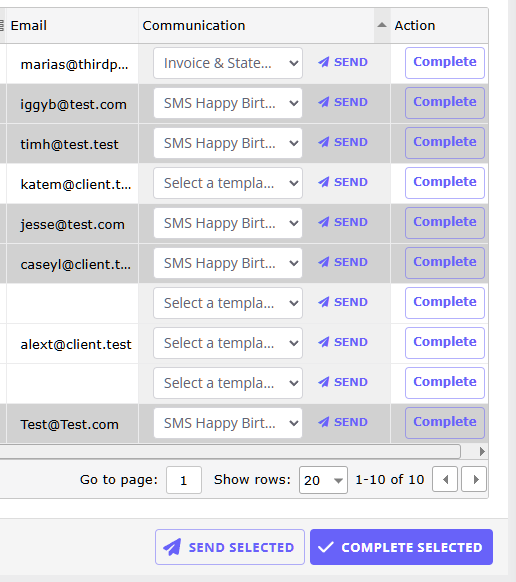
-
Faster on-page task creation and editing, without leaving the Tasks dashboard
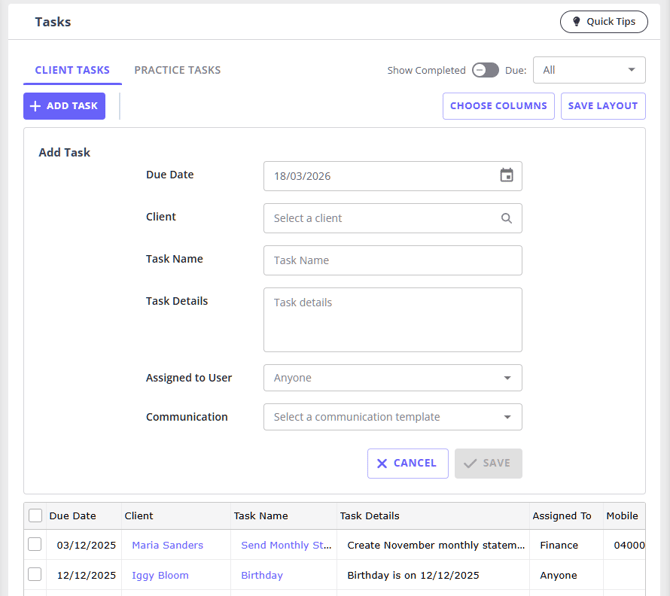
- The ability to choose what columns to include in the tasks list and save the columns layout
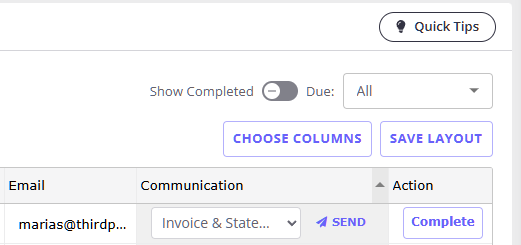
- The ability to export the tasks list to print, or csv., excel, or pdf. file
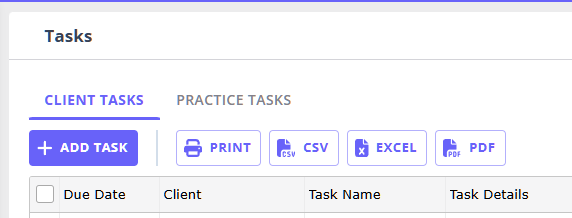
What’s Changed Visually
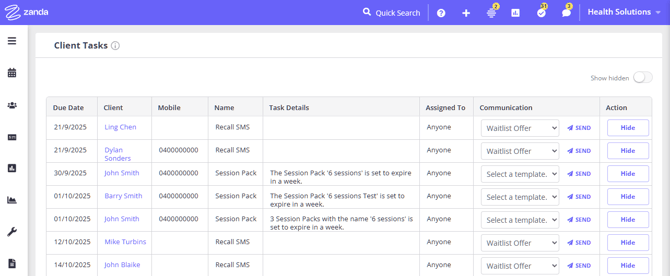
- The 'Name' column has been renamed to 'Task Name'
- The 'Show hidden' button has been renamed to 'Show Completed'
- The 'Hide' action has been renamed to 'Complete'
- The 'Restore' button has been renamed to 'Reactivate'
Before (previous Client Tasks view):
After (new Tasks page):
Why This Matters
These updates are designed to make day-to-day task management simpler and more efficient.
With the new Tasks experience, you can:
-
Stay on top of urgent and upcoming work using clear due-date filtering
-
Separate client communication from internal admin tasks for better focus
-
Save time with bulk actions like completing or messaging multiple tasks at once
-
Manage everything from one streamlined, easy-to-navigate view
What Stayed The Same
While the layout and capabilities have improved, your core workflows remain familiar:
-
You can still create tasks manually in each client profile or via automations
-
Tasks remain connected to your client workflows and records
-
Communication templates continue to power task-based emails and SMS
Getting The Most Out Of The Update
To make the most of the new Tasks page:
-
Use Client Tasks for anything involving client communication or follow-ups
-
Use Practice Tasks for internal admin and team to-dos
-
Apply the Due filter to focus on what needs attention today or this week
-
Use bulk actions to quickly clear completed work or send SMS or email messages in batches
Need Help?
If you have any questions or need more clarifications, email to our support team at support@zandahealth.com